
Share this content
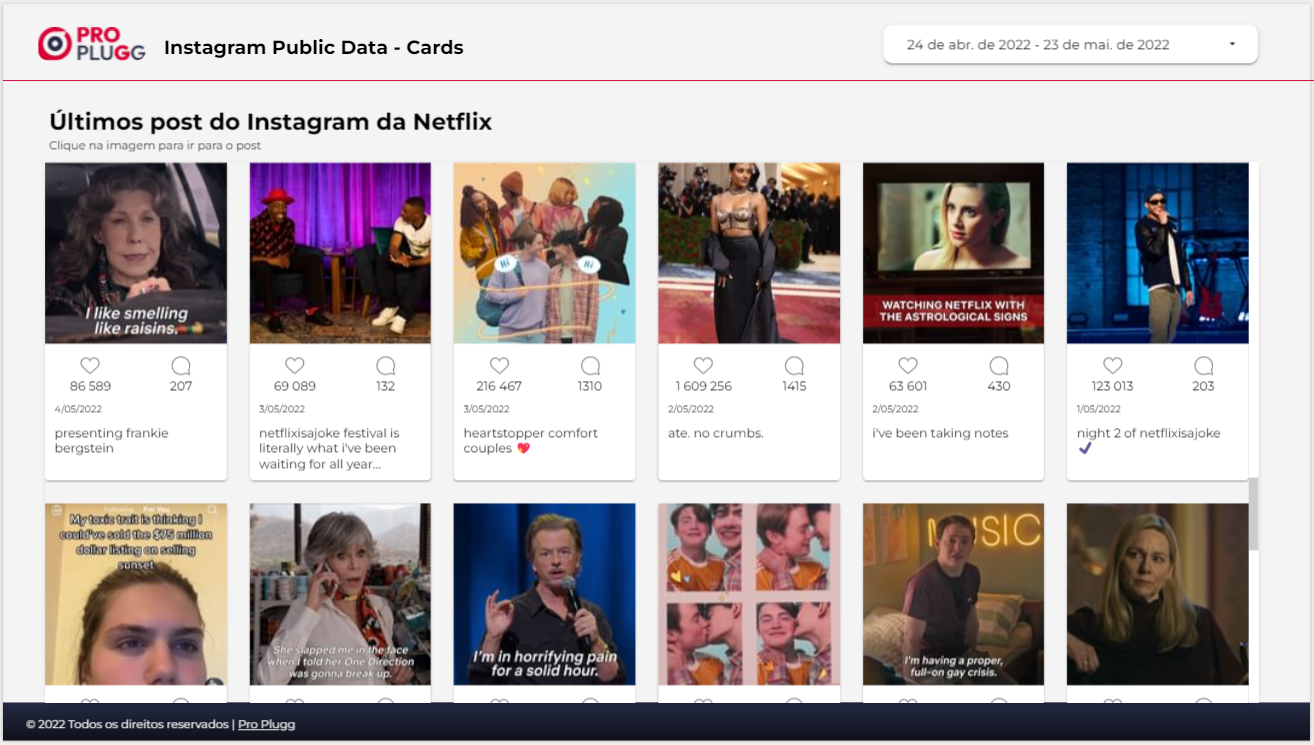
In this post we will show you step by step how to create an Instagram Cards to make your report more beautiful.
Step 1 - Add Community Component
Add the Cards View community component to your report by clicking on the "Communication Layouts and Components" icon and then on "+ See more"
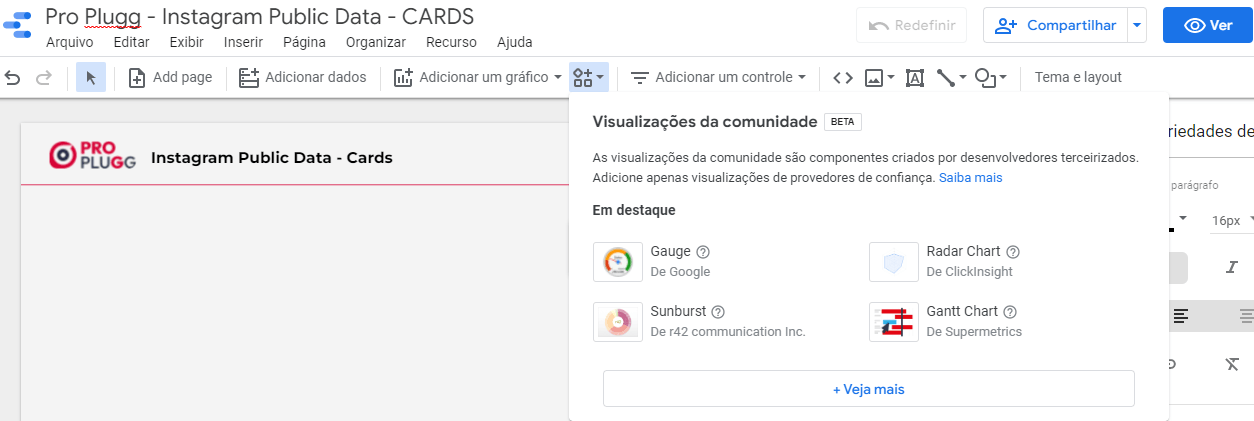
Select/Click on the Cards View.
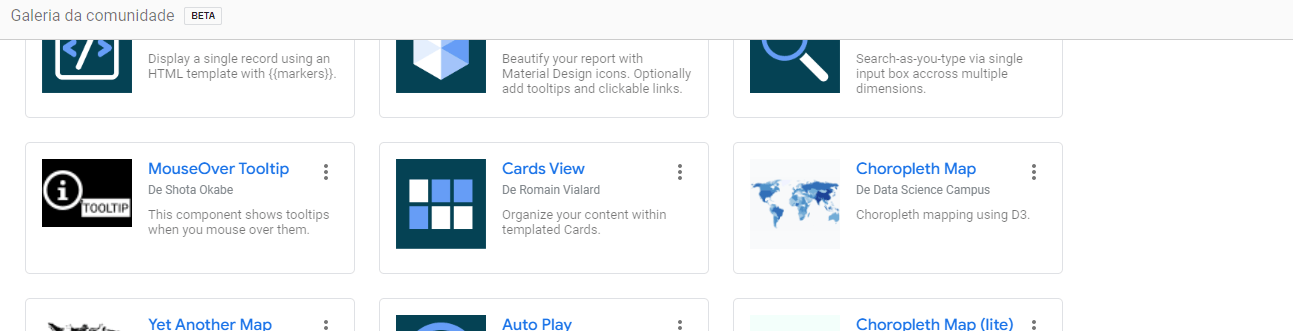
For the component to work, you need to give your consent. To do this, click on "Allow".
Then place the component on the report;
Step 2 - Configure Instagram Cards
Under "Data source" configure the Instagram Public Data connector.
Select the following Fields to be shown by the component:
Dimension
- Post Image in base 64 (Must be image 64 for components to be able to view the image);
- Post Creation Date;
- Post Caption;
- Permalink;
Metric
- Comments;
- Likes;
Click on the "STYLE" tab (DATA side)
In the "HTML TEMPLATE" field, paste the code below:
<a href="{{Permalink}}">
<img class="imgPost" src="{{Imagem do Post em base 64}}">
</a>
<div class="conteudo">
<div class="coluna2">
<svg aria-label="Curtir" class="_8-yf5 " color="#8e8e8e" fill="#8e8e8e" height="20" role="img" viewBox="0 0 48 48" width="20"><path d="M34.6 6.1c5.7 0 10.4 5.2 10.4 11.5 0 6.8-5.9 11-11.5 16S25 41.3 24 41.9c-1.1-.7-4.7-4-9.5-8.3-5.7-5-11.5-9.2-11.5-16C3 11.3 7.7 6.1 13.4 6.1c4.2 0 6.5 2 8.1 4.3 1.9 2.6 2.2 3.9 2.5 3.9.3 0 .6-1.3 2.5-3.9 1.6-2.3 3.9-4.3 8.1-4.3m0-3c-4.5 0-7.9 1.8-10.6 5.6-2.7-3.7-6.1-5.5-10.6-5.5C6 3.1 0 9.6 0 17.6c0 7.3 5.4 12 10.6 16.5.6.5 1.3 1.1 1.9 1.7l2.3 2c4.4 3.9 6.6 5.9 7.6 6.5.5.3 1.1.5 1.6.5.6 0 1.1-.2 1.6-.5 1-.6 2.8-2.2 7.8-6.8l2-1.8c.7-.6 1.3-1.2 2-1.7C42.7 29.6 48 25 48 17.6c0-8-6-14.5-13.4-14.5z"></path></svg>
<br> {{Curtidas}}
</div>
<div class="coluna2 colunaLast">
<svg aria-label="Comentar" class="_8-yf5 " color="#8e8e8e" fill="#8e8e8e" height="20" role="img" viewBox="0 0 48 48" width="20"><path clip-rule="evenodd" d="M47.5 46.1l-2.8-11c1.8-3.3 2.8-7.1 2.8-11.1C47.5 11 37 .5 24 .5S.5 11 .5 24 11 47.5 24 47.5c4 0 7.8-1 11.1-2.8l11 2.8c.8.2 1.6-.6 1.4-1.4zm-3-22.1c0 4-1 7-2.6 10-.2.4-.3.9-.2 1.4l2.1 8.4-8.3-2.1c-.5-.1-1-.1-1.4.2-1.8 1-5.2 2.6-10 2.6-11.4 0-20.6-9.2-20.6-20.5S12.7 3.5 24 3.5 44.5 12.7 44.5 24z" fill-rule="evenodd"></path></svg>
<br> {{Comentários}}
</div>
</div>
<p class="dtPost">{{Data de Criação do Post}}</p>
<p class="legendaPost">{{Legenda do Post}}</p>
Then in the "CSS" field, paste the code below:
html, body { font-size: 13px;}
body::-webkit-scrollbar { width: 10px; }
body::-webkit-scrollbar-track { background: #fff; }
body::-webkit-scrollbar-thumb { background-color: #ccc; }
.mdc-layout-grid__cell { grid-column-end: span 2; }
.mdc-layout-grid, .mdc-card-content{
margin:0;
padding:0;
}
a:link { text-decoration:none;}
.imgPost{
width:100%;
min-height: 180px;
margin-bottom: 10px;
background-color: #6DB3F2;
}
.dtPost{
font-size: 10px;
margin: 10px;
}
.legendaPost{
margin: 10px;
overflow: hidden;
text-overflow: ellipsis;
display: -webkit-box;
line-height: 16px; /* fallback */
max-height: 48px; /* fallback */
-webkit-line-clamp: 3; /* number of lines to show */
-webkit-box-orient: vertical;
}
.conteudo{
width:100%;
display: flex;
text-align: center;
}
.coluna2{
width:50%;
margin-right: 5px;
padding-left: 5px;
}
Share this content
Latest content


Ready to automate your reporting?
Join data-driven teams who save 10+ hours per week.
NO CREDIT CARD REQUIRED